
301 Redirects Guide: SEO Penalty, Setup & Best Practices
Introduction
One of the most significant tools of having a healthy site and safeguarding your search engine rankings is a 301 redirect. It can be the redesign of your site, the change of the URLs, the transfer to a new domain, or the deletion of old pages, and a correctly set 301 redirect will help users and search engines to locate the right place.
The fear of many web site owners is that the use of 301 redirects would damage their search engine optimization or lead to ranking penalties. As a matter of fact, properly implemented, 301 redirects are a search engine best practice. They assist in maintaining link equity, enhance user experience and make sure that your site is still available in the event of structural changes.
This tutorial defines what a 301 redirect is, whether or not it incurs an SEO penalty, how to implement it properly, and the best practices to ensure that it has the maximum SEO benefits.
What Is a 301 Redirect?
A 301 redirect is a permanent redirect which automatically directs visitors and search engine crawlers to a different URL. It tells search engines that a webpage has permanently moved to a new location.
For example, if your old page was:
`www.example.com/old-page`
and you move it to:
`www.example.com/new-page`
a 301 redirect will make sure that whenever someone visits the old URL, they will automatically be redirected to the new one.
In contrast to temporary redirects, a 301 redirect indicates that the old page will eventually be substituted in search engine indexes with the new one. It also passes the majority of the SEO value, such as backlinks and page authority, making it the option of choice when permanently changing URLs.
Does a 301 Redirect Cause an SEO Penalty?

One of the biggest misconceptions is that 301 redirects automatically result in an SEO penalty. The fact is that search engines do not punish those websites that use 301 redirects.
A 301 redirect can maintain the rankings in case it is implemented correctly, as it transfers most of the authority of the original page to the new one. Rankings can however temporarily change as search engines process the changes and update their indexes. It is a natural aspect of the migration process and not a penalty.
Only when redirects are not used in the correct manner, problems arise. Redirection of irrelevant pages, long redirect chains, or redirecting all deleted pages to the homepage may mislead search engines and lead to a bad user experience.
A redirect strategy is well-planned and does not damage SEO. The trick is to make sure that every old page links to the most appropriate replacement page.
When Should You Use a 301 Redirect?
Implementation of a 301 redirect is strongly suggested in a number of situations.
In case you alter a web page URL to improve the search engine, you should redirect the old one to the new one. This will make sure that visitors and search engines still access the right content.
In case of migration to a different domain, 301 redirects retain the old rankings and assist in transferring the authority of the old site to the new one.
When your site is changed to HTTPS, all the pages that are using HTTP must be permanently redirected to the secure HTTPS version.
Redesigns of websites usually entail reorganization of URLs. Redirection of old URLs helps to avoid broken links and retain search visibility.
When several pages containing the same information are combined into a single, detailed page, 301 redirects will centralize traffic and search engine optimization as well as remove the problem of duplicate content.
In such cases, 301 redirects will provide a better experience to users and minimize the chances of losing precious organic traffic.
Common 301 Redirect Mistakes to Avoid
Although 301 redirects are easy, there are frequent errors, which adversely affect SEO and web performance.
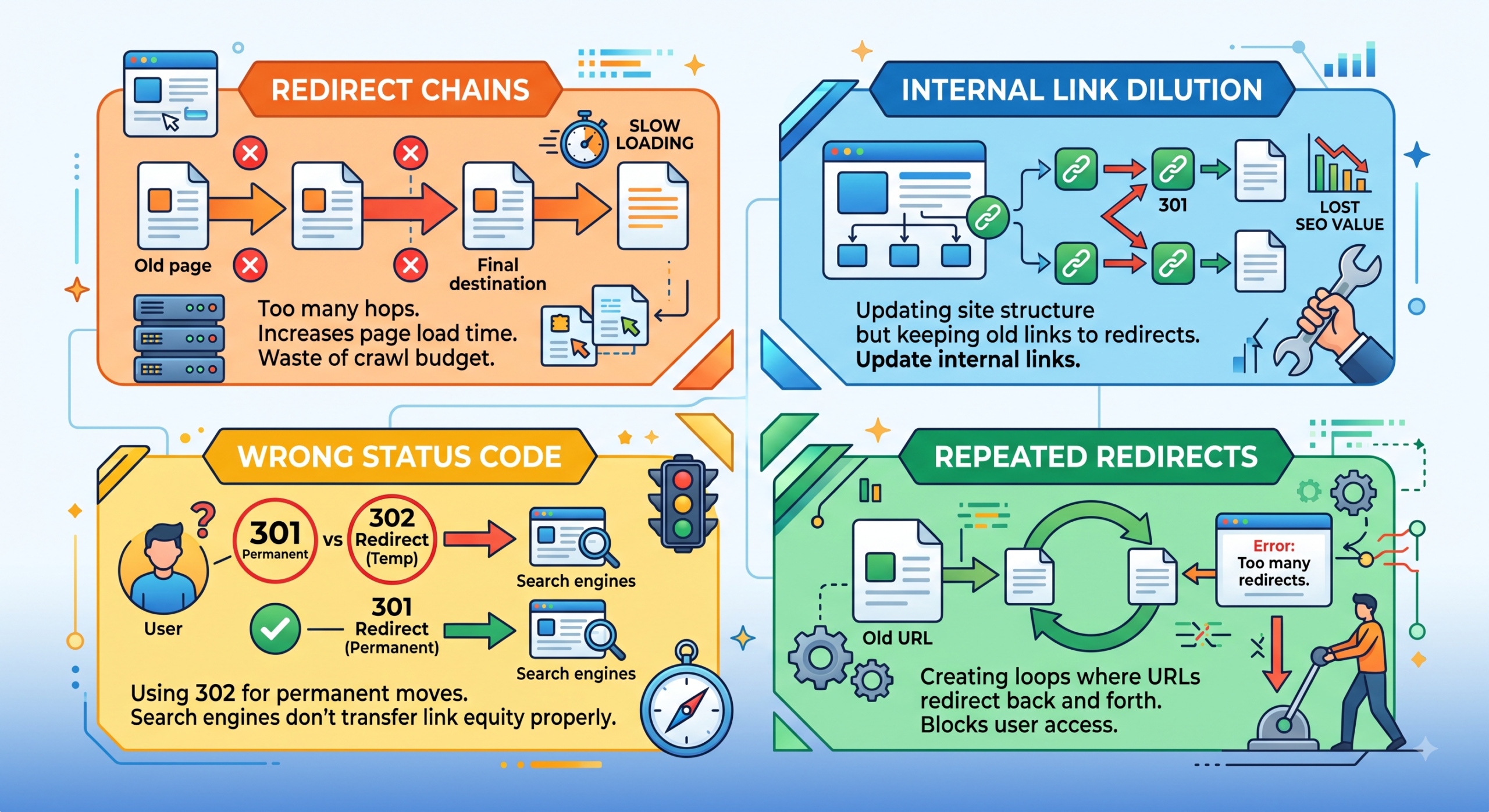
The biggest problem is that it is possible to make redirect chains, i.e. one URL redirects to another, which redirects again. Several redirects are slowing down page loads and decreasing crawl speed.
Another grave issue is redirecting loops. These are when two or more URLs redirect to one another in an endless loop, which does not allow pages to load.
A lot of web site owners redirect all deleted pages to the home page. Rather, every redirect must take users to the most relevant page with similar content.
Not updating internal links when using redirects generates redundant redirects in your site. Although the visitors are still taken to the appropriate page, this adds to loading time and wastes crawl resources.
The other error is the removal of redirects prematurely. Old URLs can still be used by search engines and users months later and therefore redirects must be maintained where feasible.
Best Practices for SEO-Friendly 301 Redirects
By adhering to the best practices of SEO, you can get the most out of your redirects.
Always redirect the old URLs to the pages that are similar to the original content. Relevance enhances user experience and assists search engines to comprehend the transition.
Direct redirects should be used where possible as opposed to several redirect hops. A redirect with only one redirect is quicker and simpler to search engines.
Keep redirects in place when moving websites until the search engines have indexed all the new URLs. In the case of established websites, it is usually safe to maintain permanent redirects forever.
Periodically check your site to identify broken links, redirect errors, and redirect chains. SEO auditing tools can easily spot problems before they can impact rankings.